Limits
Two limits, counting down from 100%.
A 5-hour window starts with your first phone use or focus session, and a weekly limit resets every Monday. Both simply show what is left, in percent.
- 5-hour window
- Weekly limit
 OpenRize Automatic time tracker · macOS · Windows beta Live
 Flow State Period tracker · iOS Live
 Cupboard Pantry tracker · iOS Beta
 Headspan Focus timer · iOS Beta
Senior full-stack guidance or dedicated sprint delivery.
Start a conversation A focus timer and a daily budget for how much of your focus you spend on your phone versus learning.
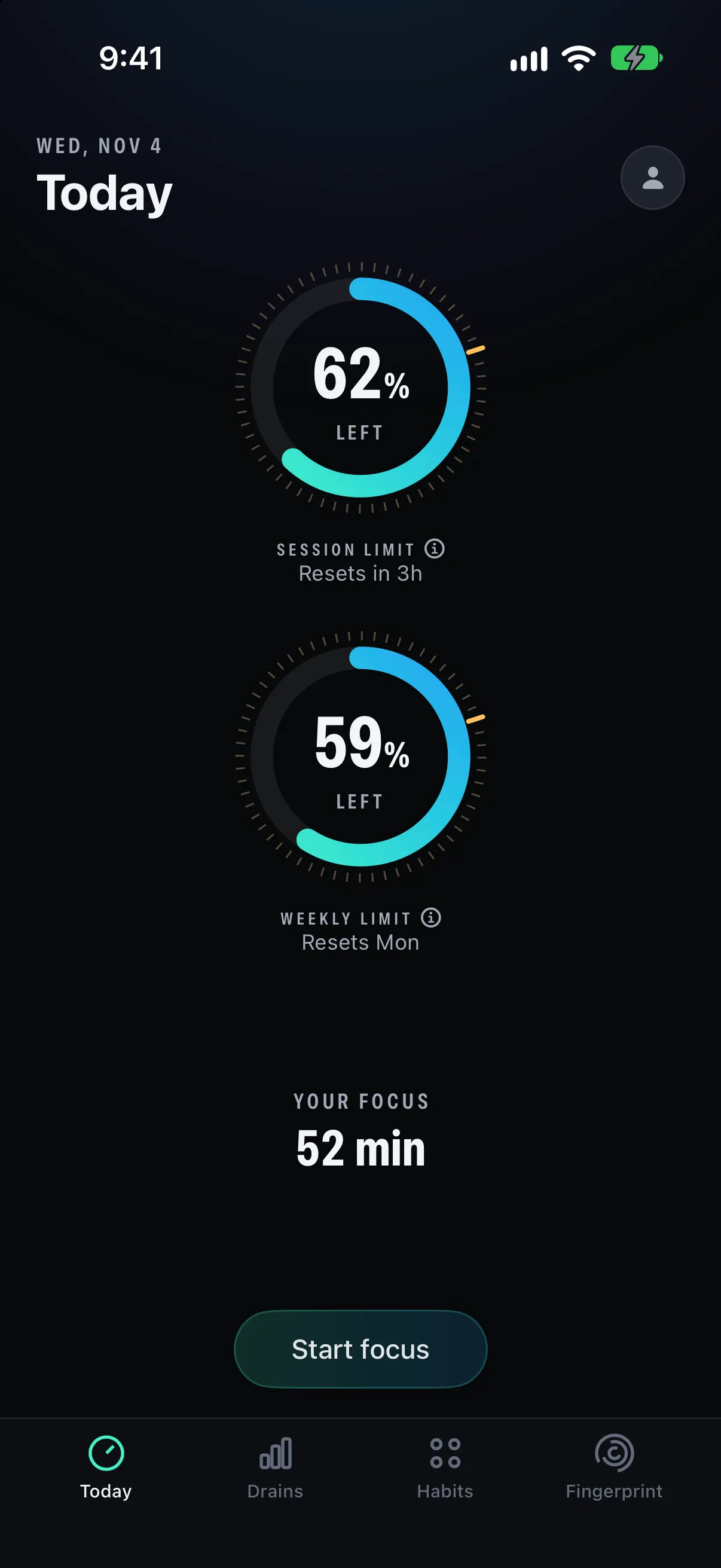
A 5-hour window starts with your first phone use or focus session, and a weekly limit resets every Monday. Both simply show what is left, in percent.
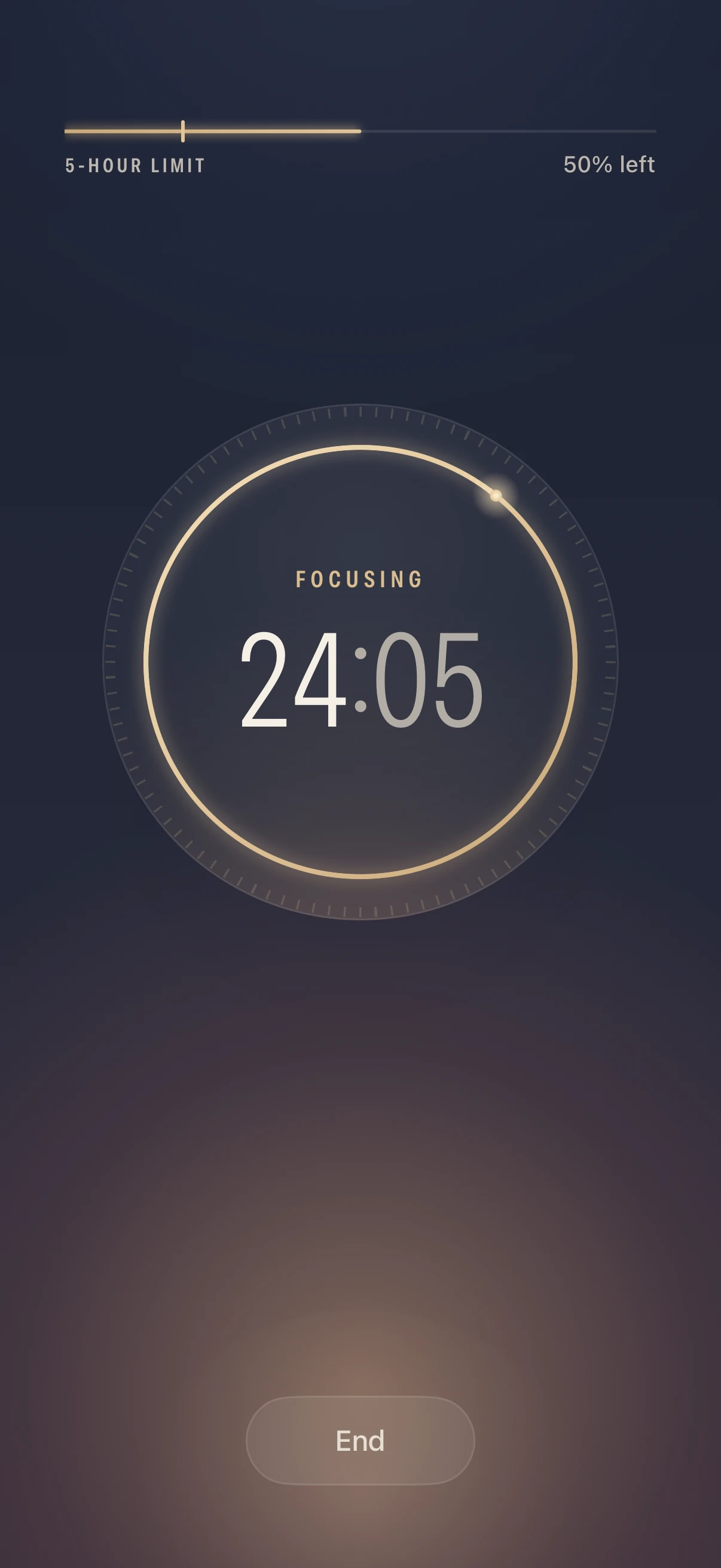
Start a session and the phone goes to a full-screen timer, with the 5-hour limit a thin line at the top. Sessions of 5 minutes or more are kept.
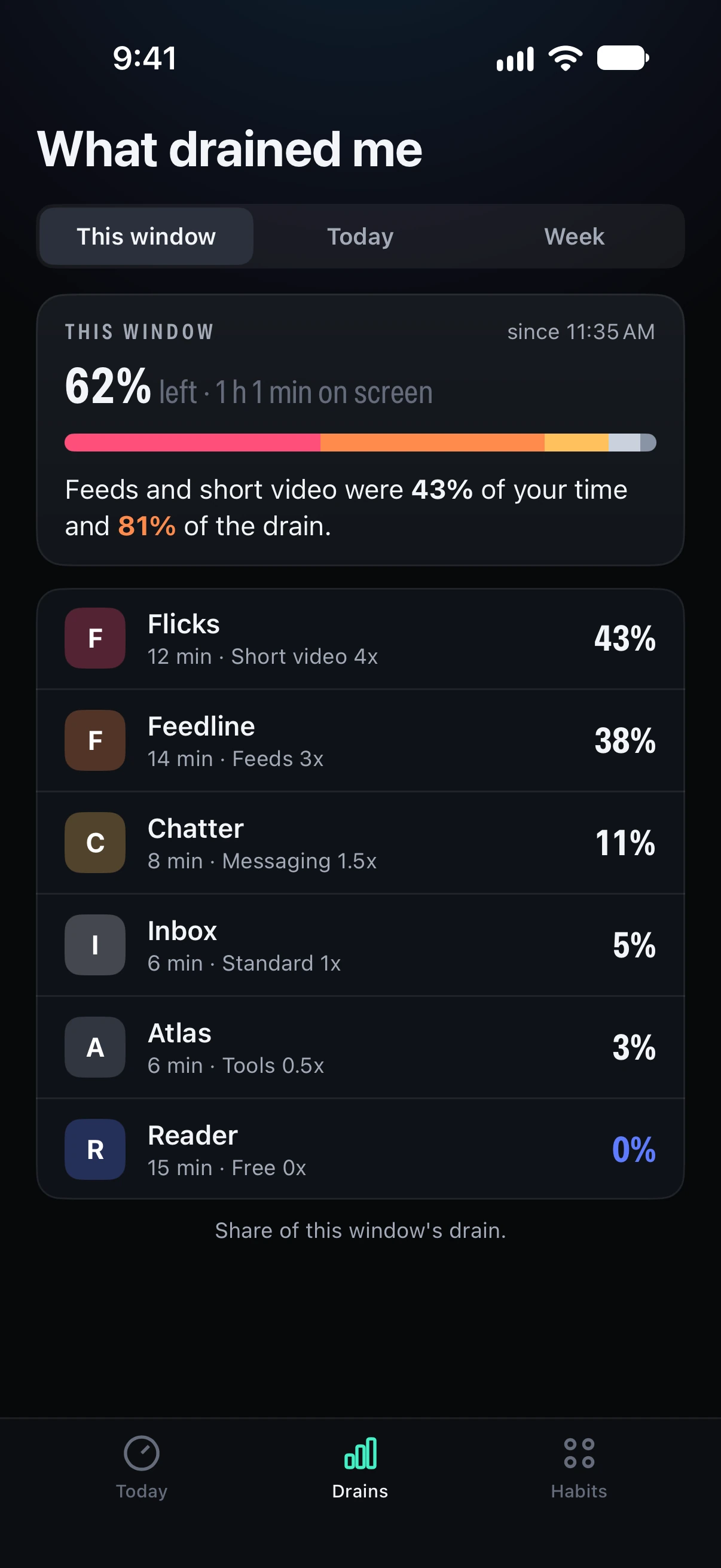
Every minute spends your limits at the multiplier of its app's tier, so the break-down shows what actually drained the budget, by app and by tier.
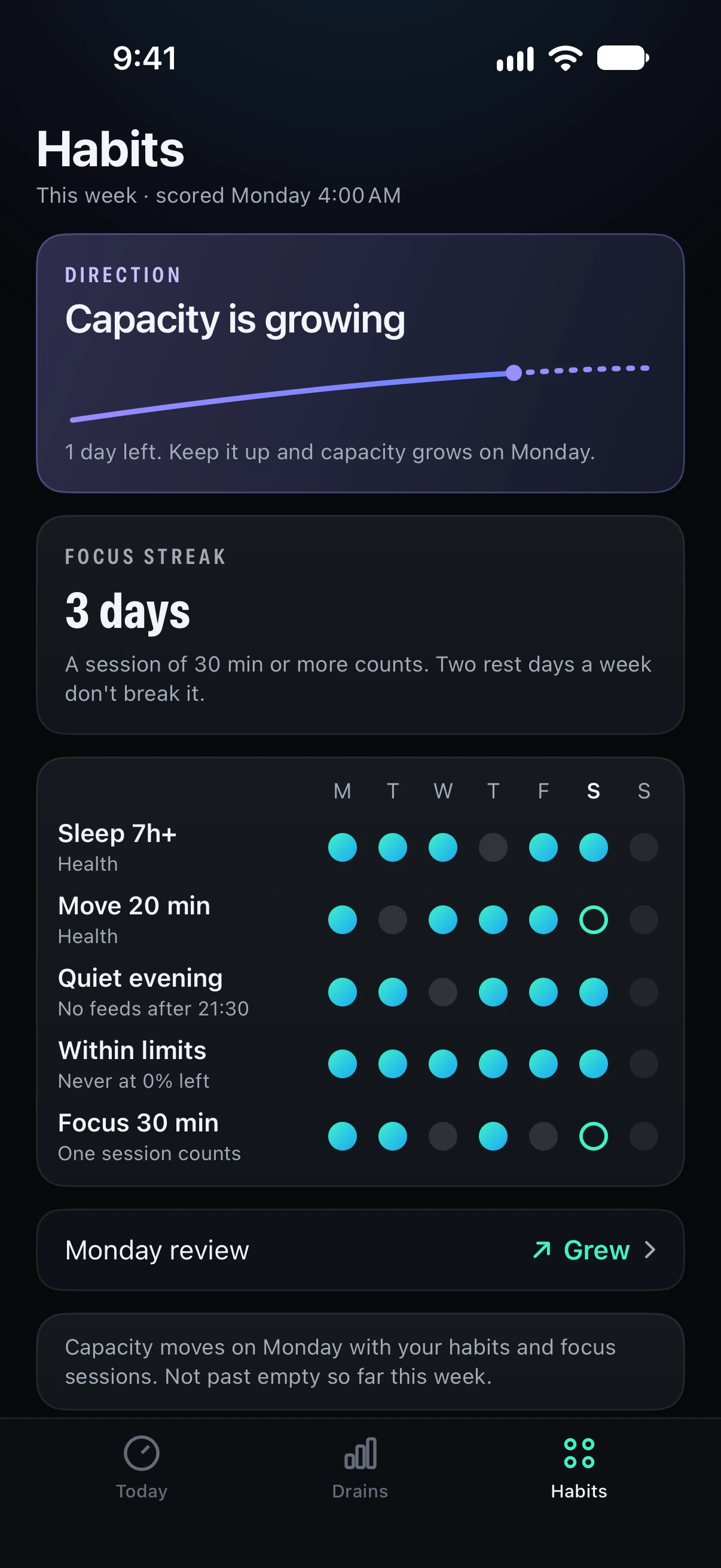
Five daily habits and your focus sessions are scored each Monday, and capacity grows, holds or shrinks within a fixed range. A larger capacity makes focus cost less. It never buys more phone time.
Today holds the two dials and one button to start a session. Session capacity tells you when it resets, weekly capacity resets on Monday, and tapping either one explains it.
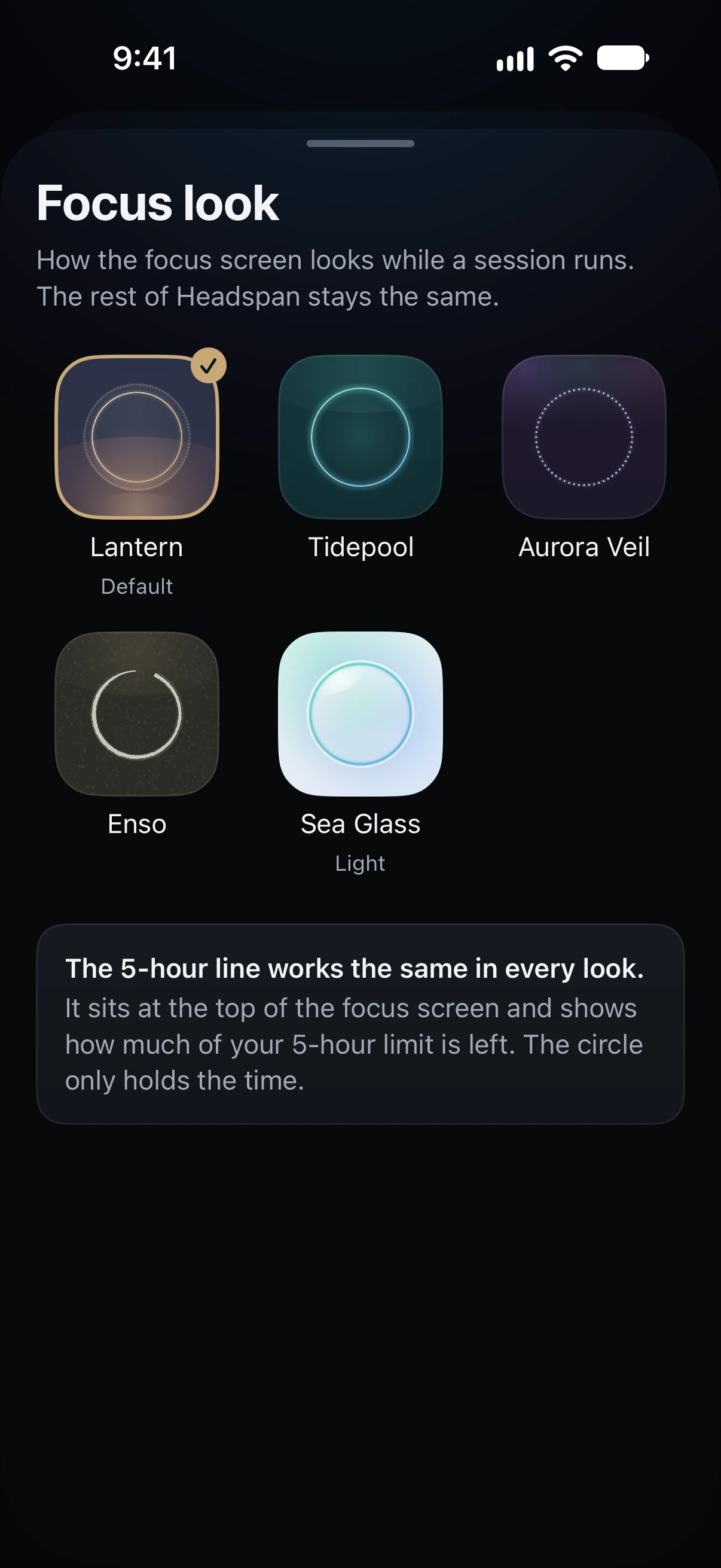
Lantern, Tidepool, Aurora Veil, Enso and Sea Glass. The look only changes how a session feels: the 5-hour line works the same way in every one.
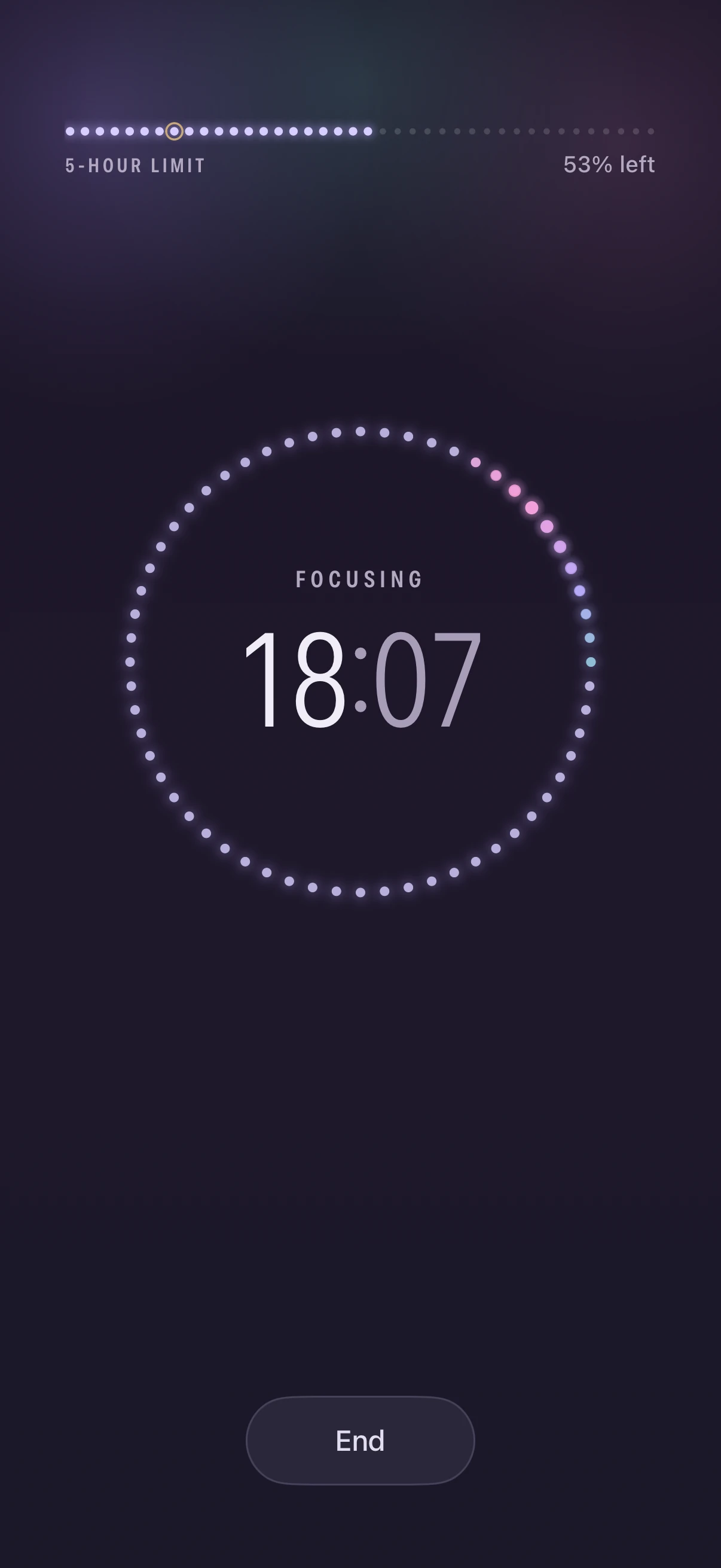
A session runs full screen until you end it. Near empty, focus spends your limits more slowly, so a session can always continue.
Sleep, movement, an evening without feeds, staying within your limits and 30 minutes of focus each score a point. A day with a 30 minute session adds to the streak, and two rest days a week do not break it.
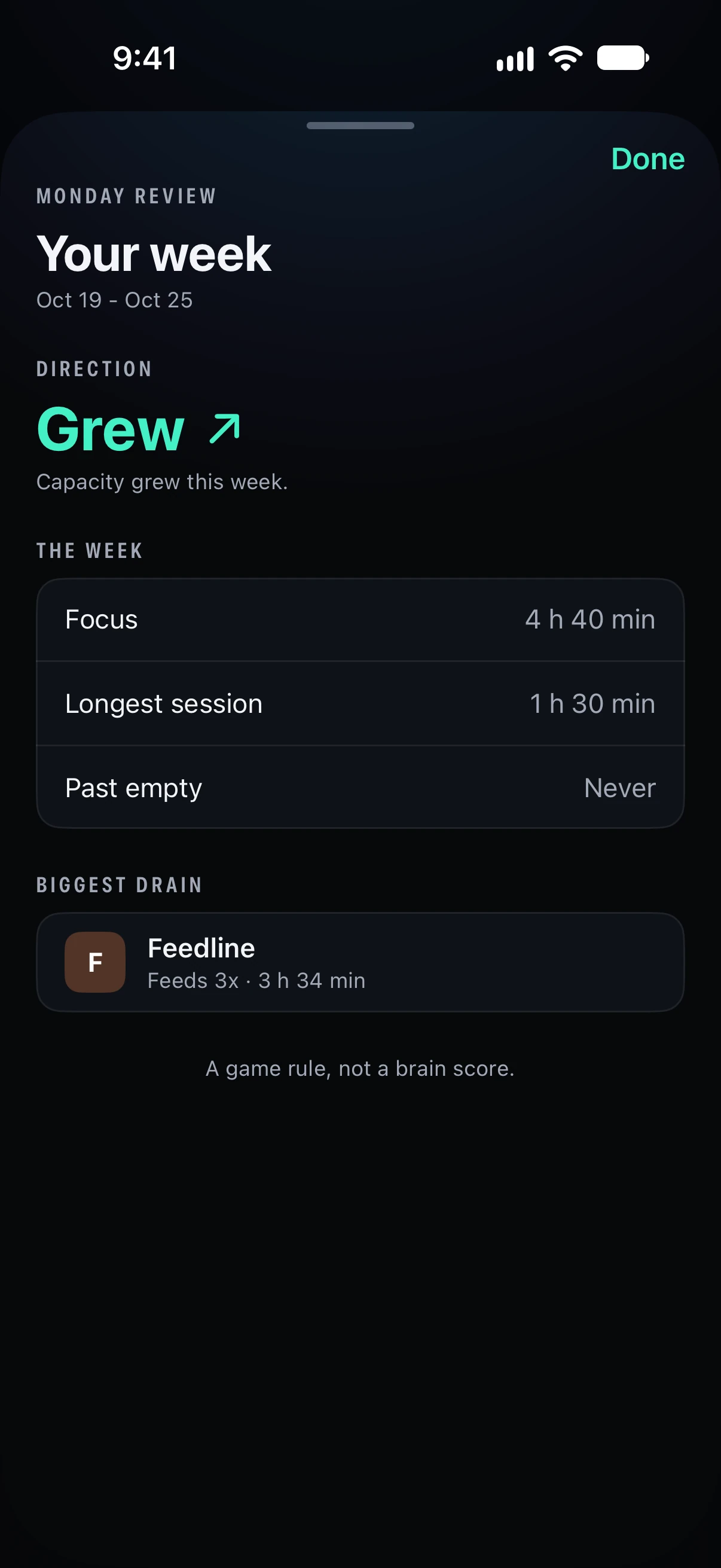
The first time you open Headspan after the reset, you see how the week went: which way capacity moved, your focus hours and longest session, your biggest drain and any times past empty.
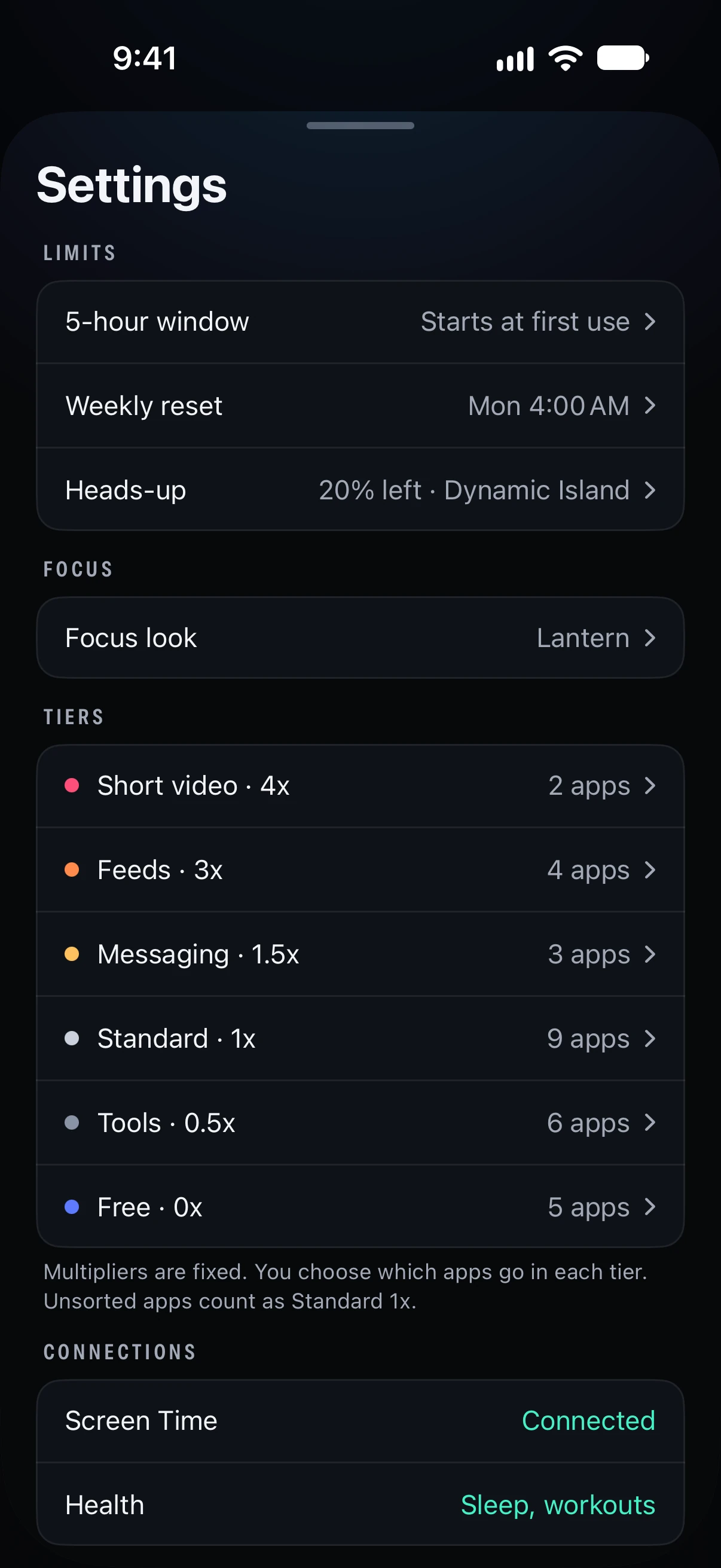
Sort your apps into six tiers, from short video at 4x down to free at 0x. The multipliers are fixed, and any app you leave unsorted counts as standard.
The app stores all of your data on your phone.